Everspring Z-Wave Smoke Detector - EVS-SF813-2-US
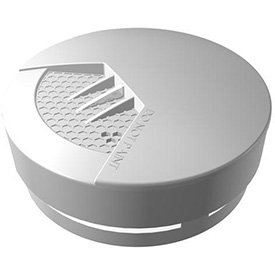
Brief information
- Z-Wave compatible, and integrates easily into any existing Z-Wave network
- Single sensor differentiates between actual smoke and fire, and nuisance alarms
- 85 dB alarm with flashing red LED lights to indicate smoke detection
- Low battery and sensitivity detection, and tamper proof protection
- Manual test button help to verify battery status and alarm operation
How to add to VENUS app
- Newly add to VENUS network
- Press “Add button” (button ‘+’) in app
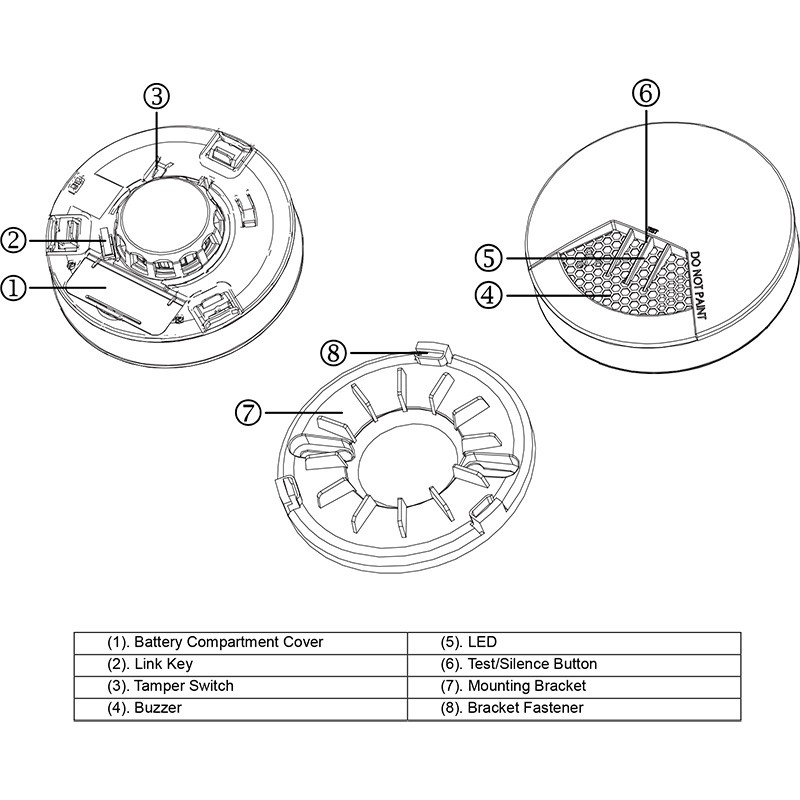
- Press the link key three times within 1.5 seconds
- Wait for VENUS scan & detect this device and inform in app
- Reset before adding
- Press “Add button” (button ‘+’) in app
- Press the link key three times within 1.5 seconds (to reset device)
- Press the link key three times within 1.5 seconds once more (to add)
- Wait for VENUS scan & detect this device and inform in app
How to add/remove associated device(s) to
This device supports 1 association group with max 8 nodes.
- Add z-wave notified-devices (which will be associated to this sensor) to VENUS
- Select Associate button and then select notified-device(s) to add
- Press the link key three times within 1.5 seconds
- If successful, pop-up notification displays in VENUS app
To remove associated device(s) from this sensor, below action is required:
- Select Associate button and then select notified-device(s) to remove
- Press the link key three times within 1.5 seconds
- If successful, pop-up notification displays in VENUS app
Configuration description
There is no configuration in this device.
Factory reset
- Pressing link key three times within 1.5 second will enter exclusion mode
- Within 1 second, press link key again and hold it until LED is off