908.42mhz Smart Home automation support universial z wave gateway / hub cheap high quailty z-wave Alarm Siren
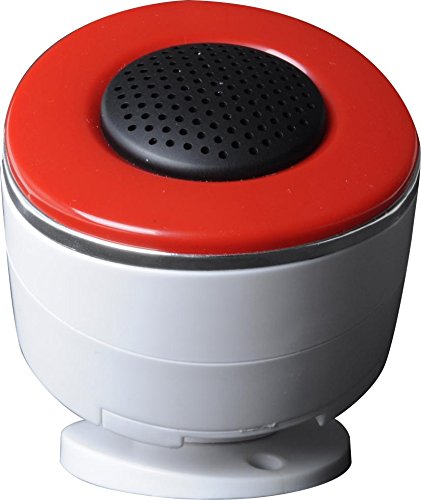
Brief information
- Siren is fully programmable with Z-Wave Smart Controllers to provide audible and visual alarm based on your Home Automation and /or Security Network settings.
- Speaks Z-Wave and as a Z-Wave Certified product allows for full operation with other Z-Wave enabled devices.
- This device is available for the following frequencies:868.42MHz and 902.42MHz.
- If one smoke detector causes an alert it will relay to all other smoke detectors within Z-Wave network - automatically and without any configuration in the control center.
- Z-Wave technology
How to add to VENUS app
- Newly add to VENUS network
- Press “Add button” (button ‘+’) in app
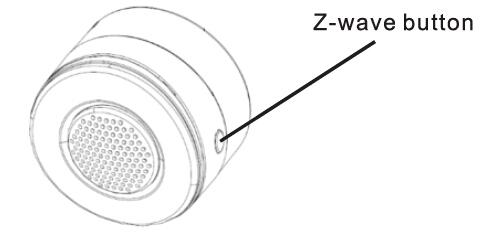
- Press the z-wave button 3 times quickly
- Wait for VENUS scan & detect this device and inform in app
- Reset before adding
- Press “Add button” (button ‘+’) in app
- Press the z-wave button 3 times quickly (to reset device)
- Press the z-wave button 3 times quickly once more (to add)
- Wait for VENUS scan & detect this device and inform in app
How to add/remove associated device(s) to
This device supports 5 association group with max 5 nodes each group.
- Add z-wave notified-devices (which will be associated to this sensor) to VENUS
- Select Associate button and then select notified-device(s) to add
- Press the z-wave button 3 times quickly
- If successful, pop-up notification displays in VENUS app
To remove associated device(s) from this sensor, below action is required:
- Select Associate button and then select notified-device(s) to remove
- Press the z-wave button 3 times quickly
- If successful, pop-up notification displays in VENUS app
Configuration description
There is no configuration in this device.