GoControl – Premium Z-Wave Home motion sensor
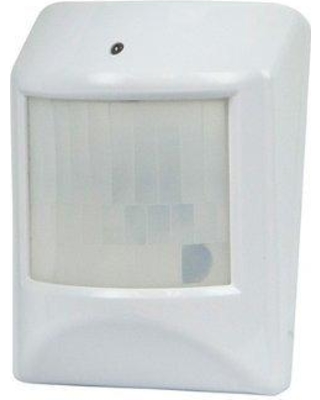
Brief information
- CR123A Lithium Battery
- Working frequency: 908.42 MHz
- Operating temperature: 5°F~140°F / -15°C~ 60°C
- Up to 100 feet line of sight between the Z-Wave Controller and/or the closest Z-Wave Repeater
How to add to VENUS app
To add device to VENUS, below actions are required:
- Press “Add button” (button ‘+’) in app
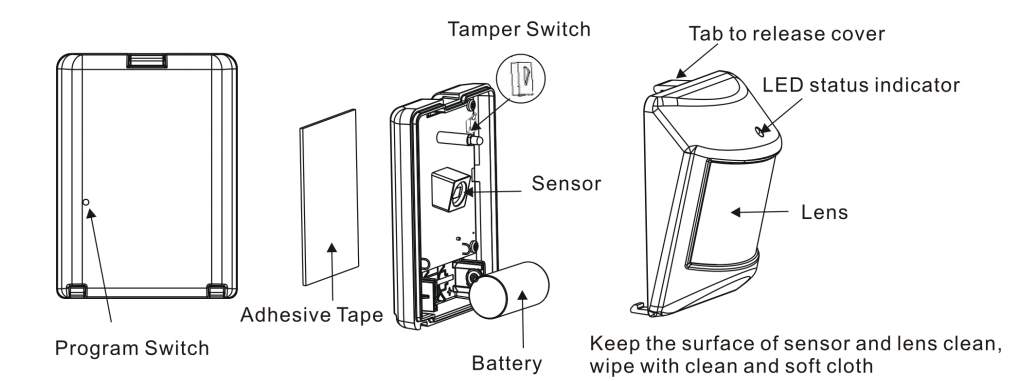
- Reset device: insert battery and then press z-wave program switch button with a paper clip
- Wait for VENUS scan & detect this device and inform in app
- Reset device again to complete adding device to VENUS
How to add/remove associated device(s) to
To add associated device(s) to this sensor, below action is required:
- Add z-wave notified-devices (which will be associated to this sensor) to VENUS
- Select Associate button and then select notified-device(s) to add
- Wake-up this sensor: press Program button by a paper clip
- If successful, pop-up notification displays in VENUS app
To remove associated device(s) from this sensor, below action is required:
- Select Associate button and then select notified-device(s) to remove
- Wake-up this sensor: press Program button by a paper clip
- If successful, pop-up notification displays in VENUS app
Configuration description
Re-trigger Wait Time
- Re-trigger wait-time is amount of time that device resets status from the last motion detected. Default is 3 minutes.
- Available: 1 ~ 255 in minutes
- Default: 3
- Parameter 1, 2 bytes size