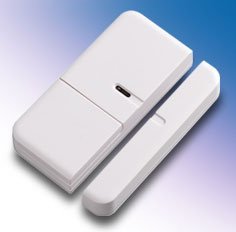
Everspring HSM02-0 Z-Wave Wireless Magnetic Door and Window sensor
Brief information
The Door/Window Detector is a Z-WaveTM enabled device and is fully compatible with any Z-WaveTM enabled network. Z-WaveTM enabled devices displaying the Z-WaveTM logo can also be used with it regardless of the manufacturer, and ours can also be used in other manufacturer’s Z-WaveTM enabled networks. Inclusion of this Door/Window Detector on other manufacturer’s Wireless Controller menu allows remote turn-on of connected modules and their connected lighting when the Detector is triggered.
How to add to VENUS app
- 1. Activation
- Press “Add button” (button ‘+’) in app
- Input battery
- Wait for VENUS scan & detect this device and inform in app
- 2. Reset then re-add
- Press “Add button” (button ‘+’) in app
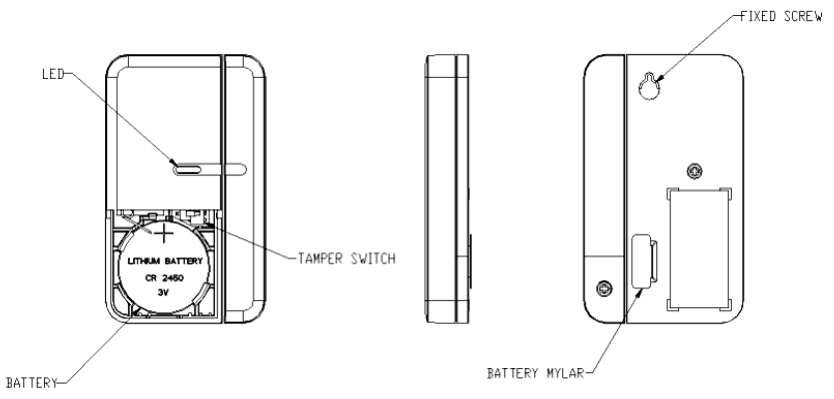
- Pressing tamper switch three times within 1.5 second
- Wait for VENUS scan & detect this device and inform in app
How to add/remove associated device(s) to
To add associated device(s) to this sensor, below action is required:
- Add z-wave notified-devices (which will be associated to this sensor) to VENUS
- Select Associate button and then select notified-device(s) to add
- Pressing tamper switch three times within 1.5 second
- If successful, pop-up notification displays in VENUS app
To remove associated device(s) from this sensor, below action is required:
- Select Associate button and then select notified-device(s) to remove
- Pressing tamper switch three times within 1.5 second
- If successful, pop-up notification displays in VENUS app
Configuration description
Trigger value to associated devices
Available
- 1 - 99: ON (Binary switch devices)
- Dim value (Multi-level devices)
Default 99
- Configuring the OFF Delay
Adjust the amount of delay berfore OFF command is transmitted.
Available 0 - 127 (in seconds) Default 0