GE Lighting Control Duplex Receptacle
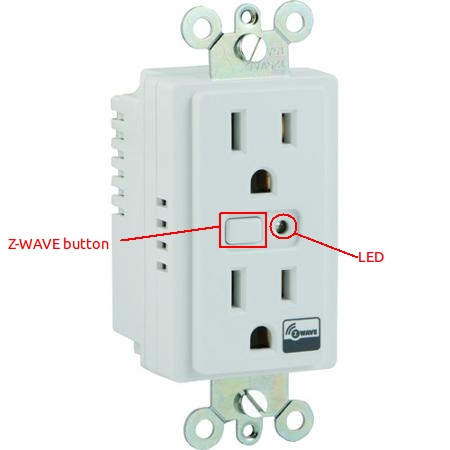
How to add to VENUS app
To add device to VENUS, below actions are required:
Press “Add button” (button ‘+’) in app
Reset device:
Power-on, led will blink slowly
Press Z-WAVE button
–> If device is added successfully, led will stop blinking
Wait for VENUS scan & detect this device and add it to VENUS
Configuration description
LED indicator
- This setting indicates LED status compatible with device status
- Available:
- 0: LED status is not compatible with device’s status
- 1: LED status is compatible with device’s status
Default: 0
Parameter 3, 1 byte size